Construction Management Software
Build With Confidence.
Deliver With Profitability.
Connect field crews, project managers, and the back office on one platform built on Acumatica. Track every cost, control every change order, and catch margin erosion before the project closes out, not after.
Built on Acumatica Construction Edition and configured for real estate developers who self-perform: construction ERP software covering job costing, AIA billing, certified payroll, and compliance in one system. Used by General Contractors, Project Managers & Controllers at 1000s of firms
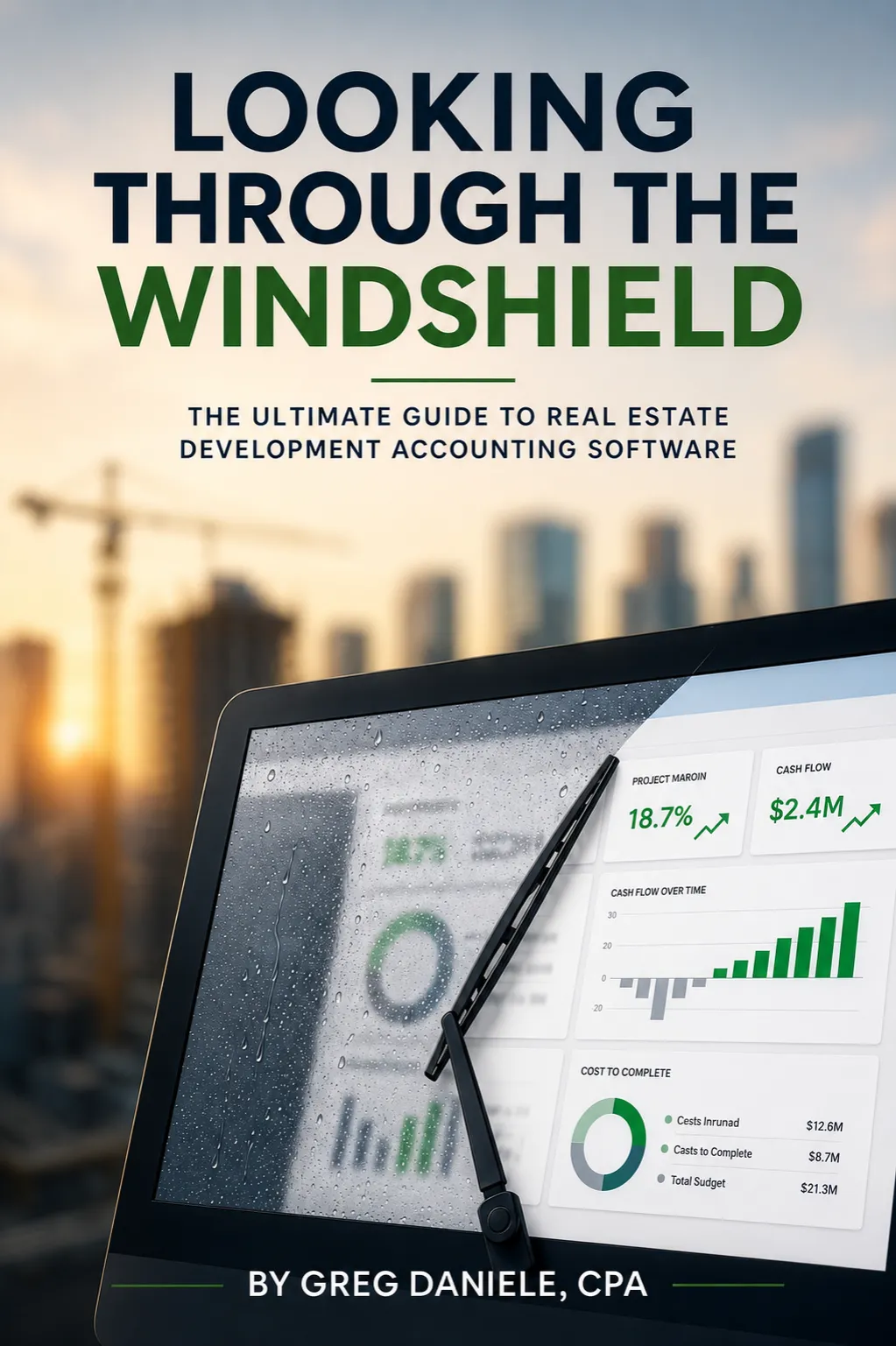
New Book
Stop managing projects through the rearview mirror.
Looking Through the Windshield — the ultimate guide to real estate development accounting software. By Greg Daniele, CPA.

Acumatica gold certified partner
Trusted by Real Estate Professionals
“We have visibility across our entire portfolio now. Draw requests that used to take days are down to almost an hour.”
CFO,
Real Estate Development Firm
“We used to hunt for answers. Now they’re just there. Real-time lot tracking and cost control mean we see issues coming before they become problems.”
VP of Finance,
Land Development Company
“We consolidated three systems into one and cut our month-end close time in half. Everything’s in one place: property management, CAM recovery and tenant improvements. It’s been a game changer for our operations.”
Controller,
Property Management Company
1000+
real estate firms
100%
Acumatica Construction Edition
8-12wks
typical implementation
Unlimited
users — no per-seat fees
Powerful Features for Every Project
Everything you need to manage your construction projects efficiently and profitably
Control Every Dollar With Real-Time Job Cost Accounting
Stop wrestling with spreadsheets to track labor, materials, and subcontractor costs. Monitor actual expenses against budget, instantly catching cost overruns before they destroy your margin.
Track actual costs against budget in real time, eliminating spreadsheet chaos while automatically organizing labor, materials, subcontractor invoices, and equipment costs as they occur.
Master project commitments with complete cost control by monitoring vendor-specific expenses, comparing them against budgets, and receiving automated variance alerts that flag overruns and scope changes early so you can act fast.
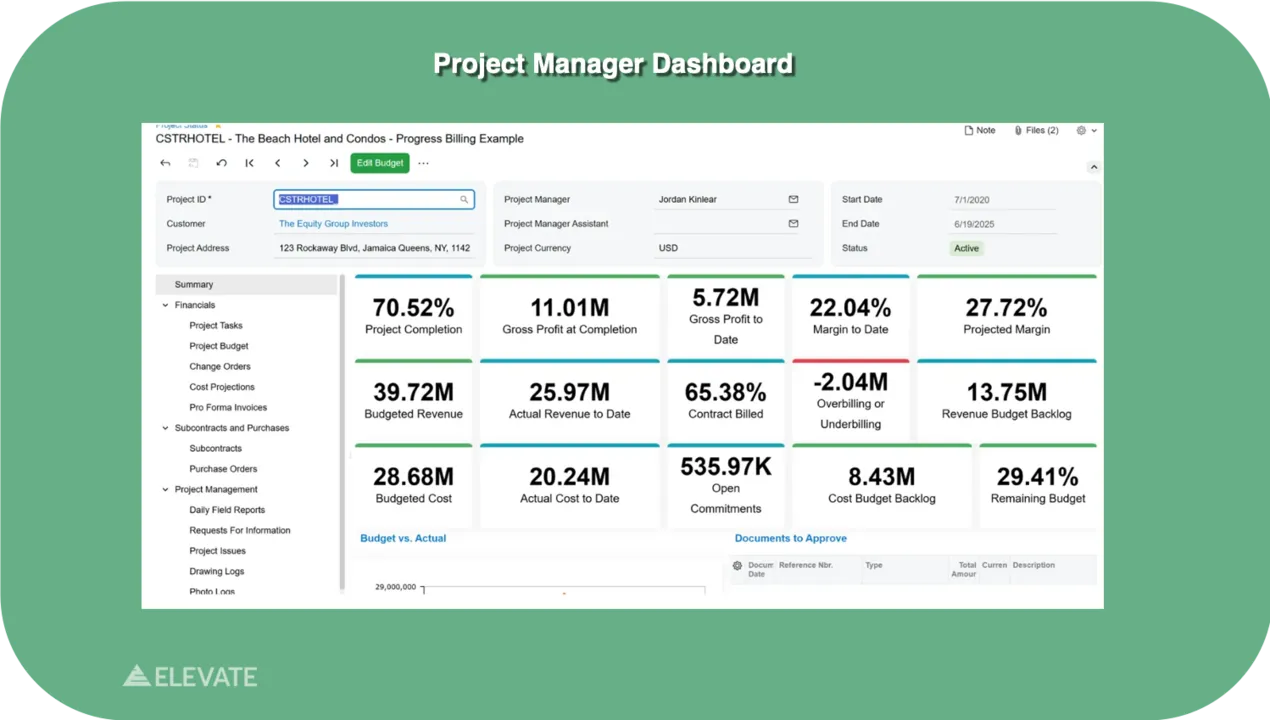
Manage multiple projects and cost centers simultaneously from a single dashboard that shows exactly which projects are hitting margin targets and which need intervention.
Turn Daily Communication From Email Chains Into Real-Time Updates
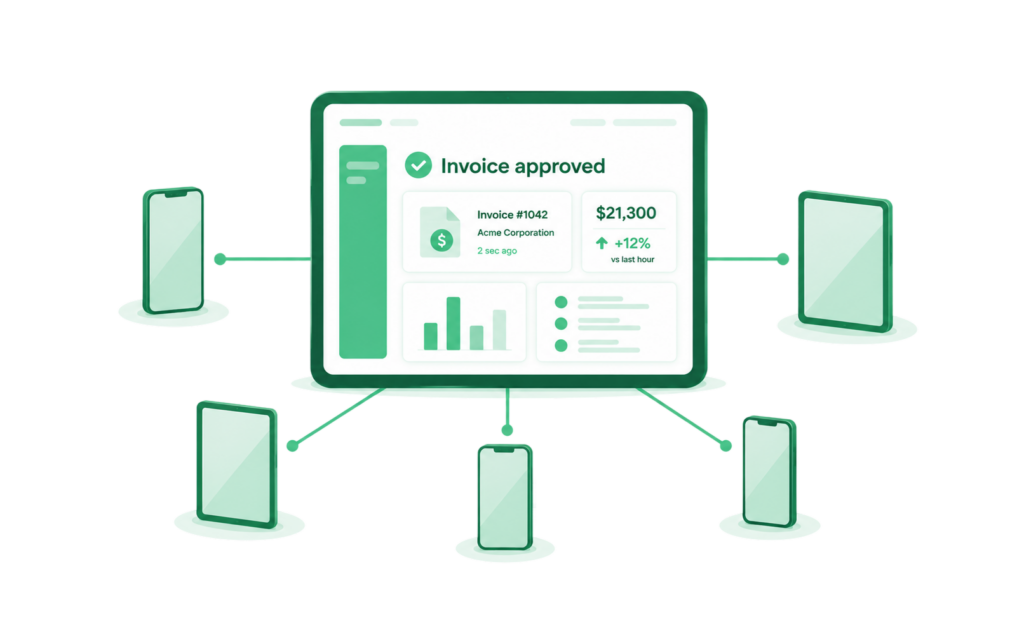
Eliminate the delays and miscommunication caused by disconnected teams. Give field crews and office staff instant access to project documents, daily reports, photos, and RFIs—so everyone stays on the same page.
Transform your construction document workflow with intelligent document management that automatically tags and organizes RFIs, submittals, contracts, and photos, eliminating double entry, reducing filing time, and integrating with other construction software so everything stays organized and searchable.
Empower your field crews with integrated timers for real-time labor tracking and offline support, while enabling your office team to approve change orders, review documents, and respond to urgent requests instantly from their devices.
Keep everyone connected and confident: your team stays synchronized in real-time, responds to problems before they escalate, and maintains complete visibility into project status whether they’re on the job site or in the office.
Know Where Your Project Margins Will Land—Before You Get There
See project profitability in real time with automated margin tracking and Work-In-Progress insights. Address margin erosion proactively instead of discovering it after the project completes.
Gain a 360-degree view of every project with comprehensive Work-In-Progress reporting and real-time dashboards that track budget, costs, billing, and profitability all in one place, so you can assess performance instantly and ensure accurate revenue recognition.
See the exact financial impact of every change order before you approve it, preventing scope creep from destroying margins while automated variance reporting alerts you to budget overruns and delays early enough to act fast.
With customizable KPIs showing schedule status, resource utilization, and profitability metrics side-by-side, your project managers gain complete visibility to optimize every decision and maximize returns across your entire portfolio.
Everything Else You Need to
Build With Confidence
Feature
What It Is
The technical capability
What It Means to You
The real-world impact
Integrated Payroll with Certified Reporting
Built-in payroll processing with integrated timers for field labor tracking, handling certified reports, union compliance, and multi-state requirements while automatically flowing labor costs to job costing and financial statements.
Eliminate manual payroll work and reconciliation errors—generate compliant reports in minutes and ensure labor costs are accurate by design, so you focus on growing your business.
Subcontractor & Vendor Management
Centralized hub for contracts, insurance certificates, lien waivers, compliance documentation, and performance history with automated alerts for expirations before they become problems.
Stop hunting through emails for documents, evaluate subcontractors using real performance data, and build a qualified vendor network while reducing risk and administrative burden.
Multi-Entity & Portfolio Accounting
Manage multiple legal entities and projects simultaneously with separate P&Ls for each entity while maintaining consolidated reporting across your entire organization.
Expand across LLCs or subsidiaries without disconnected systems, track which entities are profitable, and maintain accurate reporting for investors, lenders, and tax purposes.
Open APIs & Third-Party Integration
Open APIs connect the platform to the tools you already run, without custom middleware or manual data transfer.
Keep the software you rely on. Add construction ERP functionality without ripping out your existing stack.
ERP Module Breakdown
Every module runs on the same dataset. A change order approved in the field updates the budget in Financial Management automatically, no export, no second entry.
Financial Management
General ledger, AP/AR, multi-entity and intercompany accounting, cash management.
Job Costing & Project Accounting
Stop hunting through emails for documents, evaluate subcontractors using real performance data, and build a qualified vendor network while reducing risk and administrative burden.
Billing & Draws
AIA billing (G702, G703), progress billing, lender-ready draw packages and retainage tracking.
Payroll & Compliance
Certified payroll, prevailing wage, union reporting, multi-state taxation, lien waiver tracking.
Project Management
Scheduling, RFIs, submittals, change order routing, field-to-office document control.
CRM
Embedded customer and vendor relationship tracking, tied to the same financial and project data.
Implementation Timeline
Weeks 1-2: Discovery & Data Mapping
Chart of accounts, cost code structure, and existing project data get mapped from your current system, whether that's spreadsheets or a legacy accounting platform.
Weeks 3-6: Configuration
Job costing, billing formats, payroll compliance rules, and approval workflows get configured around how your company actually runs projects, not a generic template.
Weeks 7-10: Testing & Training
Your team runs live data through the system before go-live, with role-based training for field crews, project managers, and accounting staff.
Weeks 11-12: Go-Live
Active projects move onto the platform, typically starting with the highest-priority jobs rather than a full-portfolio cutover on day one.
Ready to Take Control of Your Construction Projects?
Stop managing chaos. Start managing construction. Connect your field crews, office staff, and operations with one powerful platform. Gain real-time visibility, control costs, and deliver projects on time and profitably.
Frequently Asked Questions
Everything you need to know about our real estate development software
Where Construction ERP Software Pays for Itself
Two workflows show the clearest return, and both are measurable from day one.
Draw assembly. Manual draw packages take six to eight hours per project, per month, and a single formatting error can mean a lender rejection and a delayed payment to vendors. Automated lender category mapping and package generation cut that to a fraction of the time, on every draw, every month, across every active project.
Month-end close. Firms that consolidate their construction accounting, job costing, and project management onto one platform report cutting month-end close time in half, because there’s no reconciliation step between systems that were never talking to each other.
Multiply either number across a portfolio of active projects and the time recovered adds up fast, without requiring a new stat for every deal. The return compounds with portfolio size: a firm running two projects saves real hours, a firm running fifteen recovers something closer to a full-time role.
Moving Off a Legacy System Doesn't Mean Starting Over
Most construction firms evaluating an ERP switch are moving off either spreadsheets or an older, on-premise construction accounting system that’s stopped scaling with the business. Implementation includes migration of historical job cost data, open projects, and chart of accounts, so nothing gets lost in the switch and project history stays intact.
Legacy systems that lack native multi-entity accounting, real-time job costing, or cloud-based field access are the most common reason firms migrate. The switch typically takes one to three months, considerably faster than the six-to-twelve-month timelines associated with legacy ERP rollouts in the first place.
How does construction management software improve financial management?
Construction management software provides real-time job cost accounting with committed cost reporting, automated budget tracking, and Work-In-Progress insights. The system tracks costs as they occur, alerts you to overruns before they impact margin, and gives you forward-looking visibility into project financial performance. By connecting field operations to accounting through integrated labor timers and document management, you eliminate manual data entry errors, accelerate the close process, and gain complete visibility to make proactive decisions that maximize project returns.
What is construction ERP software, and how is it different from general project management software?
Construction management software combines project management with integrated job costing, subcontractor accounting, certified payroll, change order tracking with mobile device approval, smart document control, and AIA billing with enhanced retainage reporting—all tailored to construction’s unique financial and operational complexity. General project management software focuses on scheduling and collaboration but lacks construction accounting, compliance features, and profit margin tracking. Our integrated platform handles both the operational complexity of construction projects AND the specialized financial requirements of job costing, budget management, and regulatory compliance in one system.
How does construction management software help manage project costs and margins?
Our construction management software tracks every cost category in real time—labor via integrated timers, materials, subcontractors, equipment, and overhead—while simultaneously tracking revenue and calculating profitability. Committed cost reporting lets you monitor real-time and historical costs with precision and compare vendor-specific commitments against budgets. Variance reporting identifies budget overruns, delays, and scope changes early. The system maintains detailed cost records by project, task, phase, or cost center with automated job costing that eliminates manual reconciliation and provides instant budget vs. actual reporting.
How does mobile access improve field operations and project visibility?
Cloud-based mobile apps enable field crews to submit daily reports, service orders, time entries, and photos directly from the job site—not hours later from the office. Create and manage change orders directly from your device, approve pro forma invoices with a single tap, and review project documents in real-time. Integrated labor timers let crews clock in and out of project tasks seamlessly, with offline support for job site productivity. Information flows directly into the system in real time, so office staff see field updates immediately.
How does smart document control reduce delays and rework?
Transform your construction document workflow with intelligent Document Management that automatically tags and organizes RFIs, submittals, contracts, and photos while allowing custom labels for your team’s needs. Seamlessly integrate with other construction software to eliminate double entry, reduce filing time, and ensure documents stay organized and searchable from any device. Instead of hunting through email or shared folders, teams access project documents from a version-controlled repository with automated notifications.
How does WIP reporting and variance analysis help protect project margins?
Comprehensive Work-In-Progress reporting puts real-time insights at your fingertips to assess project performance instantly. Ensure accurate revenue recognition for percentage-of-completion billing while tracking every aspect of active projects—from budget and costs to billing and profitability. Data-driven variance reporting spots budget overruns, delays, and scope changes early by quickly comparing planned values against actual performance, so you can act fast when potential issues arise.
How does subcontractor management streamline coordination and reduce compliance risk?
Centralize all subcontractor information—contracts, insurance certificates, lien waivers, W-9s, compliance status, and payment history. The system monitors compliance automatically, sends renewal alerts, tracks lien waivers, and maintains complete audit trails. Evaluate subcontractor performance with data—identifying reliable contractors who consistently deliver on time and on budget while avoiding those who create problems. Master project commitments by monitoring vendor-specific commitments and analyzing subcontract agreements.
How does integrated payroll with labor timers help construction companies manage certified payroll requirements?
Built-in payroll handles certified payroll reports, union requirements, prevailing wages, multi-state taxation, and apprenticeship tracking. Integrated labor timers let crews clock in and out of project tasks seamlessly with offline support for job site productivity. Enable your workforce to create timecards for any week while ensuring accurate global time tracking across varied operations. Payroll integrates directly with job costing—labor costs flow automatically from time tracking to job costs to financial reporting with no manual reconciliation needed.
How does enhanced AIA billing and retainage tracking improve project cash flow?
Automated AIA billing with enhanced retainage reporting generates progress invoices using standard AIA forms (G702, G703) based on work completed and costs incurred. Gain clarity with simplified retainage invoice recaps that inform project managers and accountants of billed retainage on every payment request. The system tracks retainage amounts, release schedules, and final billing with complete audit trails. Simplified reconciliation makes it easy to manage payments confidently and reduces disputes with owners and general contractors.
How quickly can we implement construction management software?
Cloud construction management software can be deployed in 1-3 months depending on company complexity and data volume—much faster than traditional ERPs requiring 6-12 months. Implementation specialists handle data migration from legacy systems (spreadsheets, QuickBooks, other software), system configuration, mobile setup, integration with existing tools like Procore, and training on features like Project 360 Dashboard and smart document control. Most construction firms report team productivity gains and better decision-making within weeks of go-live.
How secure is construction project data in the cloud?
Cloud construction management platforms employ enterprise-grade security with SOC 2 Type II certification. All project data is encrypted in transit and at rest, with multi-factor authentication and role-based access controls. Regular third-party security audits, automated backups, and disaster recovery protocols provide additional protection. Cloud platforms maintain 99.9% uptime, ensuring your team always has access to critical project data across mobile devices and office systems.
What makes Elevate Solutions the best construction project management software for real estate developers and construction managers?
Elevate Solutions stands out among construction management software solutions because it connects every phase of a project — from pre-development through final completion — in a single source of truth. Most project management systems force construction managers to juggle separate tools for accounting, compliance, and field operations. Elevate eliminates that by combining essential project management features for the construction industry into one cloud-based solution built on Acumatica. The result is a complete project management platform that gives your entire project team — field crews, construction managers, and back office — real-time access to the same project data at all times.
What key features does the platform include for construction scheduling and project controls?
Elevate’s project controls cover the full lifecycle of a construction project. Construction managers can build detailed project plans, assign tasks to team members, monitor task statuses, and track project progress against established project schedules — all from a single platform. Progress tracking is continuous rather than periodic, so project teams identify delays and cost variances before they compound. For construction managers who previously relied on tools like Microsoft Project or disconnected spreadsheets, Elevate replaces that fragmented approach with a unified project management solution where project data flows automatically across scheduling, costing, and reporting.
How does Elevate handle construction accounting and job cost management?
Elevate’s construction accounting tools give construction managers real-time visibility into labor, materials, and subcontractor costs measured against budget across the entire project. The platform supports cost code structuring, budget creation and revision, forecast modelling, purchase orders, change order tracking, and cost-at-completion projections. Rather than maintaining a separate accounting software tool alongside your project management platform, everything connects in one system — so your bottom line is always visible and project costs never catch you off guard at month-end.
What jobsite management and daily log capabilities does the platform offer?
Jobsite management is built around keeping field teams and office staff on the same page without relying on email chains. Field teams can submit daily logs, access current project documents, track progress, and collaborate with the broader project team from any device via mobile access. All project data captured in the field — labor hours, site conditions, issues flagged — feeds directly into the platform, reducing manual data entry and giving construction managers an accurate, real-time picture of jobsite activity across all active project types.
Does Elevate Solutions support specialty contractors and general contractors differently?
The platform serves both general contractors and specialty contractors across a range of use cases. General contractors benefit from the multi-entity accounting, subcontractor compliance management, and portfolio-level reporting. Specialty contractors working as subcontractors on larger projects benefit from the certified payroll tools, time tracking, and document control features. Because Elevate is built on Acumatica’s flexible architecture, the feature set adapts to different project types and contracting structures without requiring separate software solutions for each.
How does Elevate handle multi-entity and portfolio accounting for construction firms?
Construction firms managing multiple legal entities, residential construction projects, and commercial developments simultaneously can manage all of them within one platform. Each entity maintains its own P&L and financial reporting while consolidated reporting gives leadership a portfolio-wide view without manual reconciliation. There are no additional fees based on the number of users or projects — unlimited users are supported as standard, making the pricing model predictable as your organization scales across project types and entities.
What does implementation look like, and what customer support does Elevate provide?
Implementation is handled end-to-end by Elevate’s support team — covering data migration, system configuration, integrations, and training for all team members. The process starts with a discovery call, followed by a personalised free demo tailored to your specific use cases, and then full implementation with hands-on guidance from real estate professionals. Ongoing customer support and customer service are available after go-live to ensure your project teams get full value from the platform. To get started, schedule a discovery call directly from the site or reach out via the phone number listed in the contact section.
What is Acumatica Construction Edition, and how does Elevate use it?
Acumatica Construction Edition is Acumatica’s industry-specific edition of its cloud ERP platform, built for job costing, bid management, change order tracking, and project financials across the full construction lifecycle, from preconstruction through closeout. Elevate is an Acumatica Gold Certified Partner and configures Construction Edition specifically for real estate developers who self-perform, connecting it to the same platform’s real estate development and property management modules. That means a self-performing developer isn’t running a separate construction system alongside separate development and property management software; all three share one Acumatica-native platform, one dataset, and one accounting system.
What is construction ERP software?
Construction ERP software is enterprise resource planning software built specifically for the construction industry, combining project accounting, job costing, compliance, and payroll with the operational side of running a construction project: scheduling, subcontractor management, and field-to-office communication. General-purpose accounting or project management tools handle pieces of this, but they weren’t built for construction-specific requirements like AIA billing, certified payroll, or lien waiver tracking. Construction ERP software connects the financial and operational sides in one system, so a change order approved in the field updates the budget automatically instead of requiring a separate entry in a separate tool.
Does the platform include CRM tools for managing customers and vendors?
Yes. Embedded CRM functionality lets your team track customer and vendor relationships, communications, and history directly inside the same platform running your job costing and project accounting, rather than maintaining a separate CRM tool that needs to be manually kept in sync. For a self-performing developer, that means vendor performance history, subcontractor communications, and customer or investor relationship data all live alongside the financial and project data they’re connected to, instead of in a disconnected system that requires a second login and a second set of records.
See Acumatica in action
Book a discovery call in under 60 seconds. We’ll show you what it looks like to run your development and portfolio operations through the windshield, not the rearview mirror.
- 20-minute discovery call
- Tailored to your needs
- No pressure, no obligation